PUBLIC DEMO
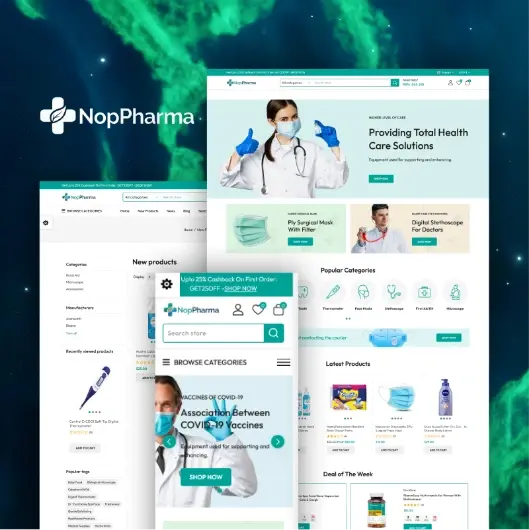
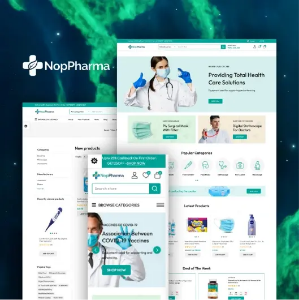
Introducing NopPharma, a premium nopCommerce theme specially designed for pharmacy, medical, and healthcare eCommerce stores. Fully compatible with nopCommerce 4.6,4.7, 4.8 and 4.9 NopPharma combines a clean, modern design with powerful features to deliver a seamless and trustworthy shopping experience. Its responsive layout ensures your store looks perfect on desktop, tablet, and mobile devices, while the intuitive navigation and well-structured product pages make it easy for customers to quickly find medicines, supplements, and healthcare essentials.
Built with performance and usability in mind, NopPharma includes multiple elegant homepage layouts, customizable color schemes, and conversion-focused design elements that help you align your store with your brand identity. The theme is optimized for speed, SEO-friendly structure, and smooth user interaction, helping you increase engagement and boost sales.
✅ Included Plugins
-
SwiftSlider – Create stunning and responsive homepage sliders
-
Make My Menu – Advanced mega menu for better navigation
-
Deals – Highlight special offers and promotional campaigns
-
Testimonials Plugin – Easily Manage Customer Feedback and Reviews
-
Shopping Cart Plugin – Enhanced cart functionality for better user experience
-
NopPharma Core – Essential features and settings tailored specifically for the theme
Whether you are launching a new online pharmacy or upgrading your existing nopCommerce store, NopPharma provides the flexibility, professional design, and built-in tools you need to create a reliable and high-performing healthcare eCommerce website.
A Design That Earns Customer Trust
In healthcare eCommerce, trust is the deciding factor between a visitor and a buyer. NopPharma's design speaks that language instantly a clean, clinical aesthetic that makes your store feel credible, professional, and safe before a customer reads a single product description. Every layout element is intentional: generous white space, clear product hierarchy, and a calm color palette that puts customers at ease when purchasing medicines, supplements, or medical essentials.
Plugin Details & Setup Guide
✓ Enhanced SwiftSlider
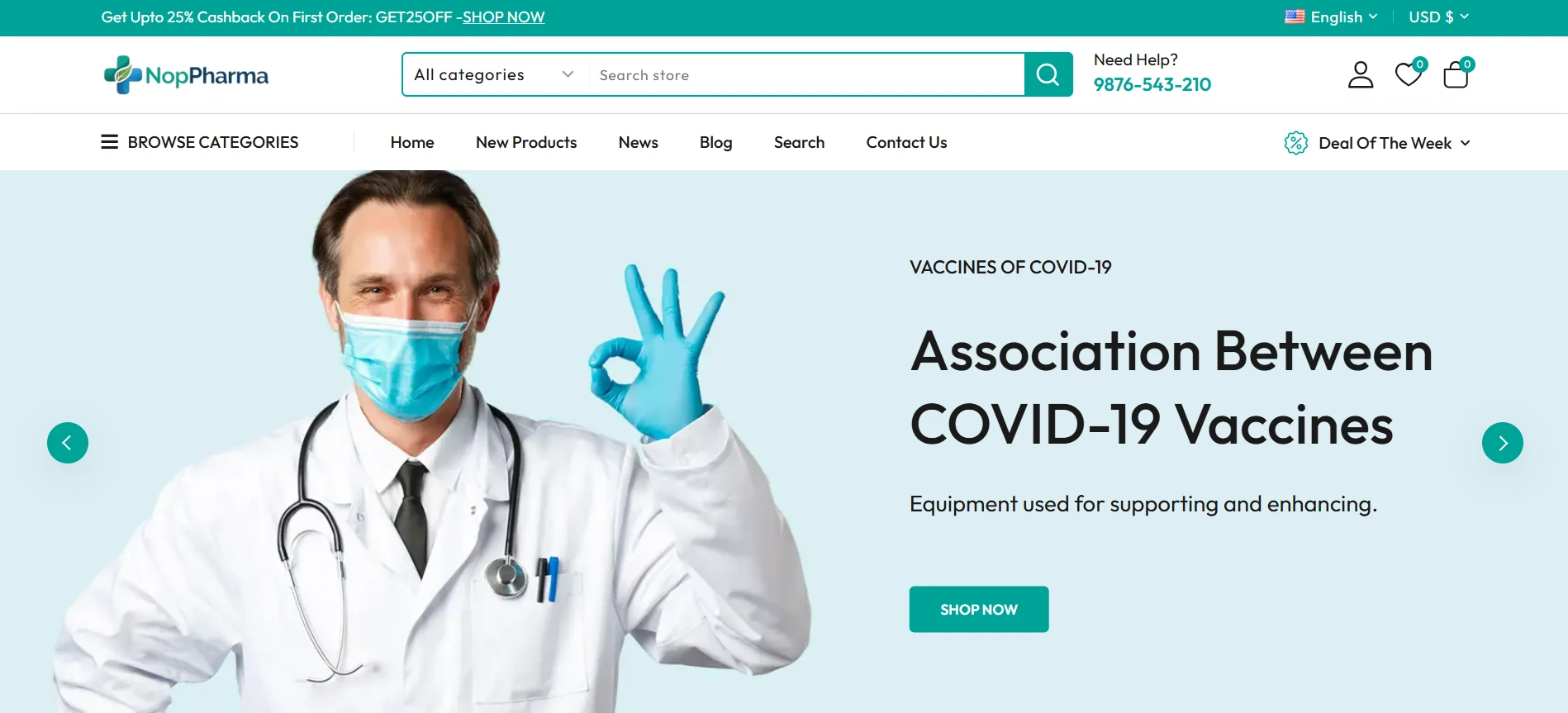
Your homepage is your storefront window and SwiftSlider makes sure it stops customers in their tracks. This advanced, fully responsive slider is built to showcase featured medicines, ongoing health campaigns, and limited-time promotional offers in a visually compelling way. Whether you are running a seasonal wellness sale or spotlighting a new product range, SwiftSlider gives your homepage the dynamic energy it needs to increase engagement and keep visitors browsing longer.
Key Features
- Supports both image-based and YouTube/video-based sliders
- Schedule slider visibility with custom start and end dates
- Flexible widget zone placement for displaying sliders anywhere on your site
- Fully responsive and optimized for all screen sizes including mobile
Setup Instructions:
- Install and enable the SwiftSlider plugin from the NopBooster Plugin menu
- Navigate to the SwiftSlider section in the left sidebar
- Click Add New Slider
- Choose your slide type - image or video URL
- Set your preferred schedule dates and click Save and Publish
✓ Dynamic Make My Menu
Categories
Deal of the Week
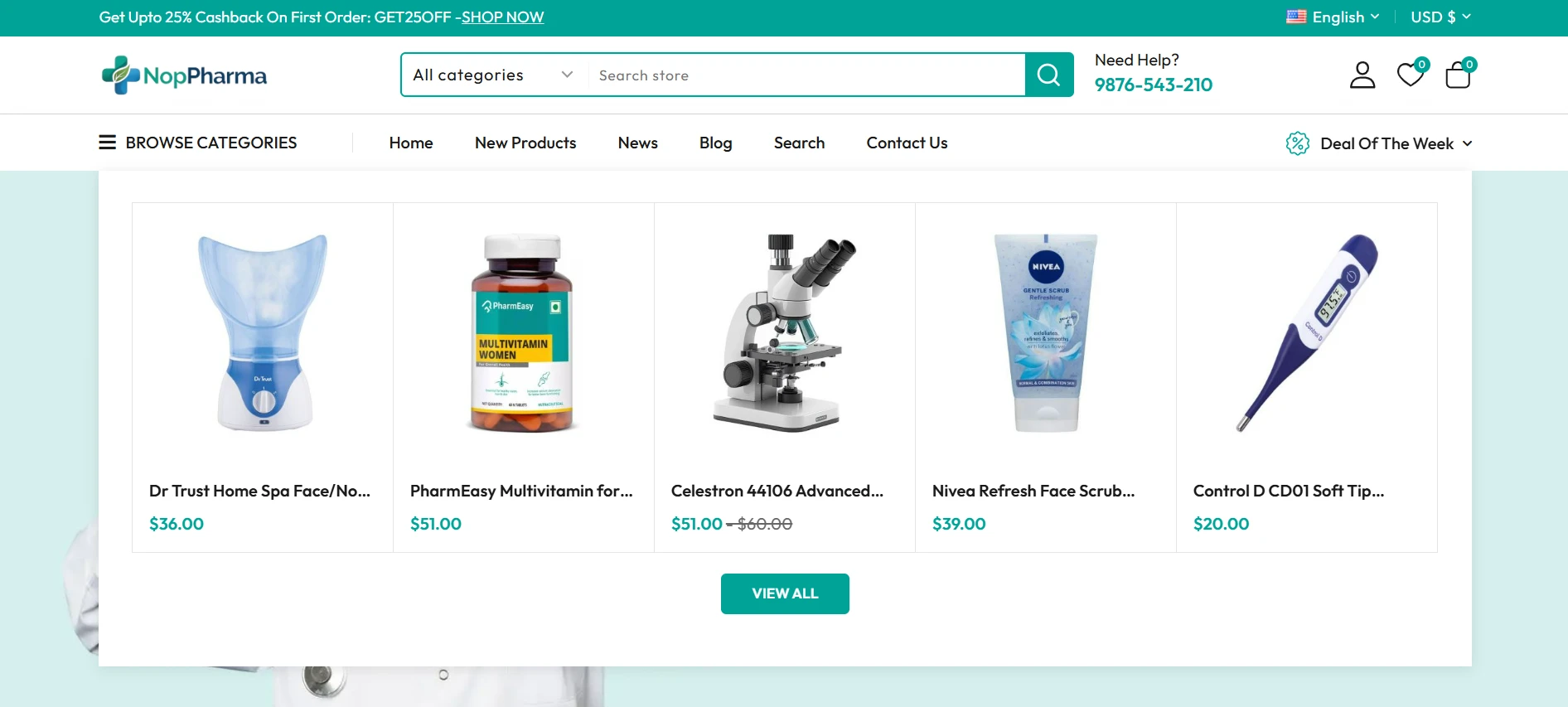
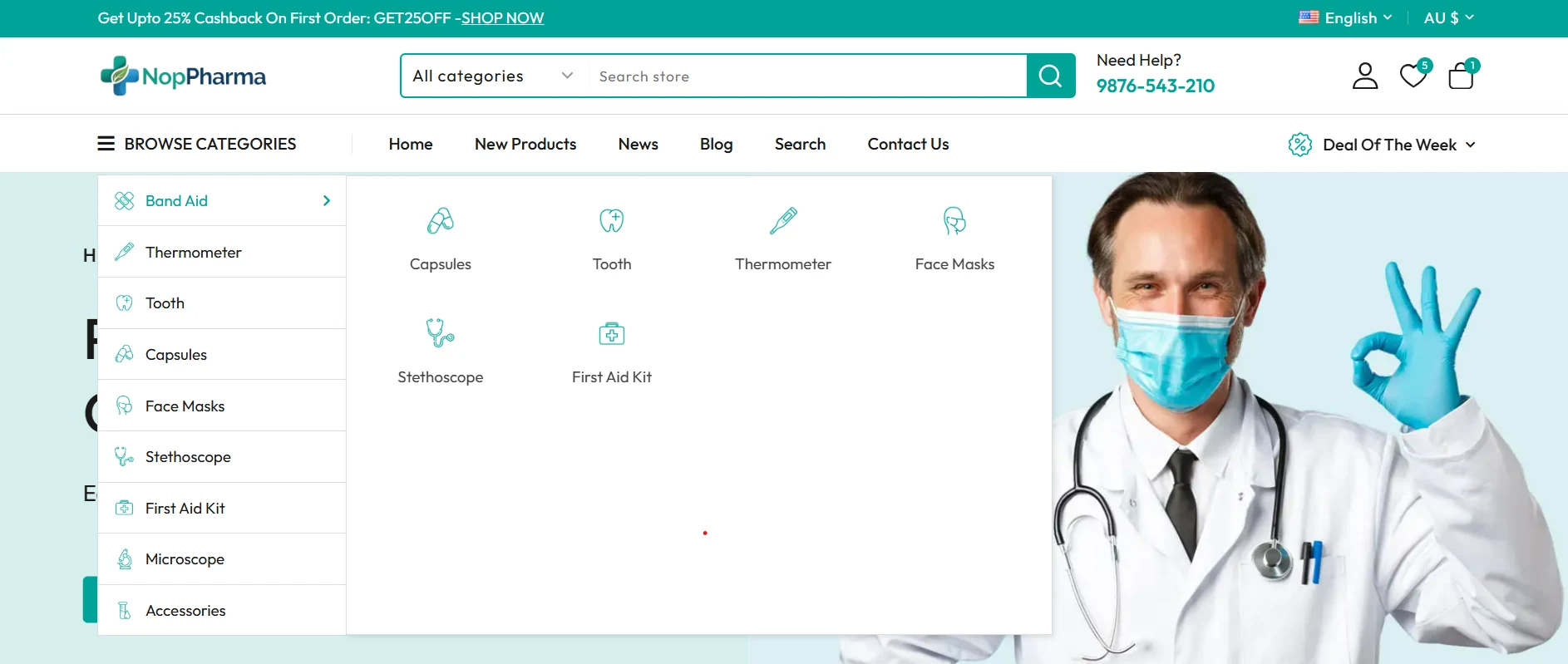
A pharmacy store with hundreds of products across categories like Medicines, Supplements, Medical Devices, and Wellness Products needs navigation that works as hard as the store does. Make My Menu delivers a powerful, structured mega menu that organizes your entire catalogue logically so customers land on the right category in seconds, not after frustrating clicks. Better navigation means longer sessions, lower bounce rates, and more purchases.
Key Features
- Display deals directly within the menu structure
- Showcase categories in multiple layouts with images, plain text, or custom formats
- Choose from different item types including manufacturers, product tags, and categories
- Fully customizable menu hierarchy and styling
Setup Instructions:
- Install and enable the built-in MakeMyMenu plugin from the NopBooster Plugin menu
- Add menu items from your available category and page options
- Customize the layout, structure, and labels to match your store's hierarchy
- Save — changes reflect live immediately
✓ Time-Sensitive Deals Plugin
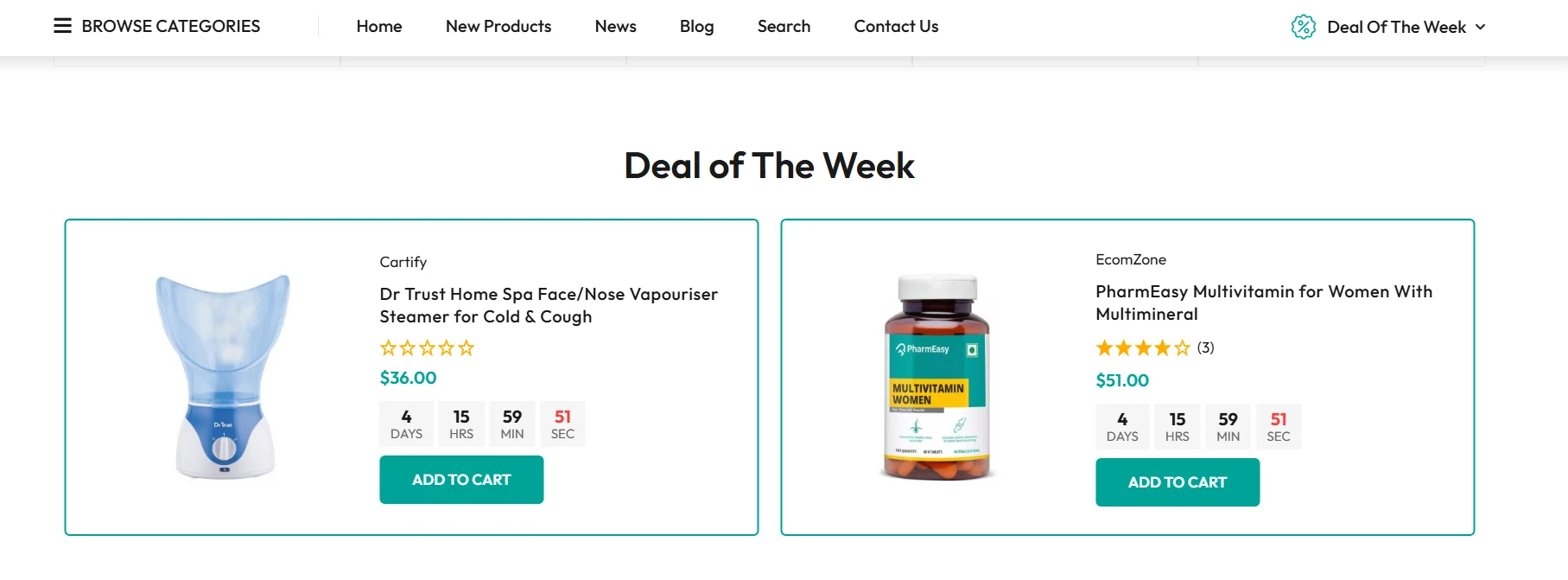 Nothing drives a purchase faster than a deadline. The Deals plugin lets you run scheduled, time-limited offers on any product in your pharmacy store from clearance medicines to bundled supplement packs and festive health kits. Set a start date, set an end date, assign your products, and let the plugin do the rest. Promotions activate and expire automatically, keeping your store running smoothly without manual intervention.
Setup Instructions:
- Install and enable the built-in Deals plugin from the NopBooster Plugin menu
- Navigate to NopBooster Plugin → Deals
- Click Add New
- Enter the deal name, start date, and end date
- Assign the relevant products to the deal and click Save
✓ NopPharma Core Plugin
The NopPharma Core Plugin is the backbone of the entire theme. It centrally manages all bundled plugins, controls essential theme configurations, and ensures every component of your store runs in perfect sync. Optimized for fast loading speeds and reliable uptime, it keeps your pharmacy store performing at its best so your team can focus on growing the business rather than managing technical issues. Think of it as the silent engine that keeps everything running without you having to think about it.
Setup Instructions:
Step 1: Install and Enable the Plugin
- Install and enable the built-in NopPharma Core plugin from the NopBooster Plugin menu
- Navigate to NopBooster Plugin → NopPharma Theme Settings
Step 2: Configure Theme Color Settings
- Go to Configuration → Theme Color Settings
- Browse through 4 different pre-built color schemes
- Choose your preferred color scheme, or customize it further using custom CSS
- Click Save
Step 3: Configure Homepage Display Settings
- Go to Configuration → Theme Display Settings
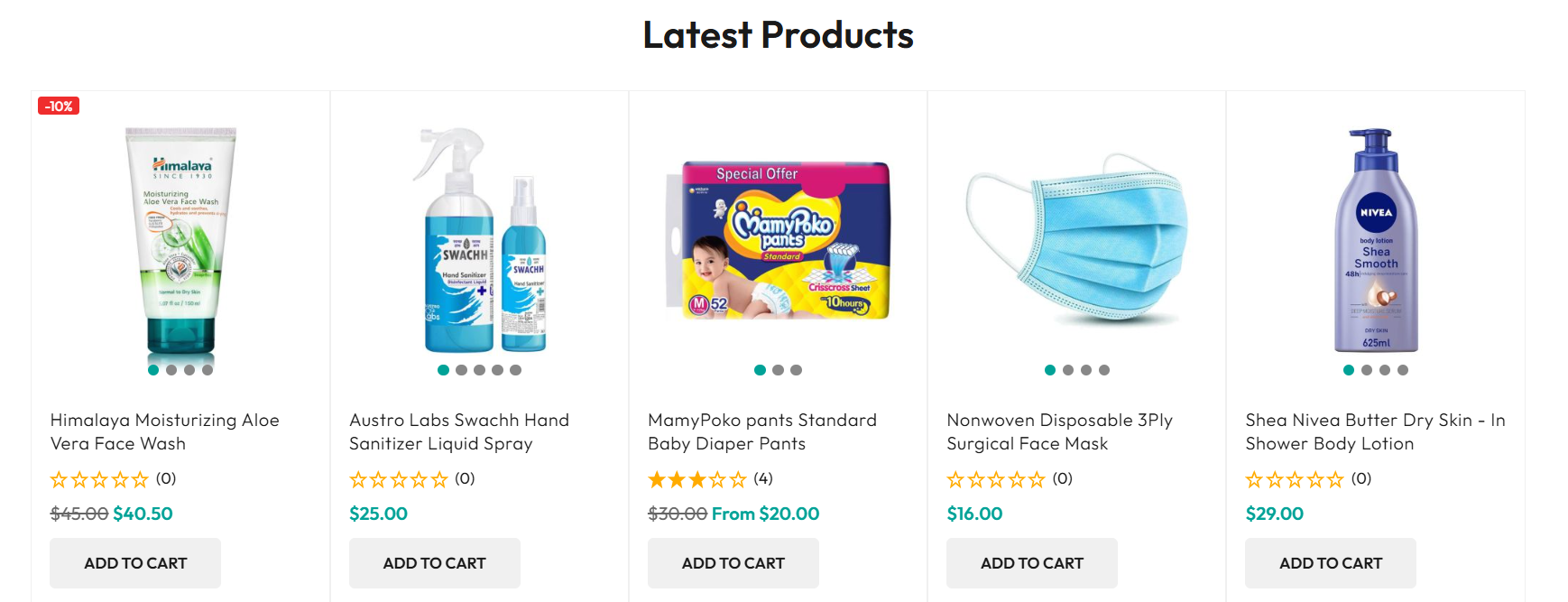
- Check Show Latest Products on Homepage or Show Manufacturers on Homepage
- Set the number of products to display on the homepage
- Click Save
Step 4: Customize Manufacturer Display
- Go to NopPharma Theme Settings → Manufacturers
- Edit the manufacturer you want to feature
- Check Show on Homepage
- Click Update
✓ Testimonials Plugin
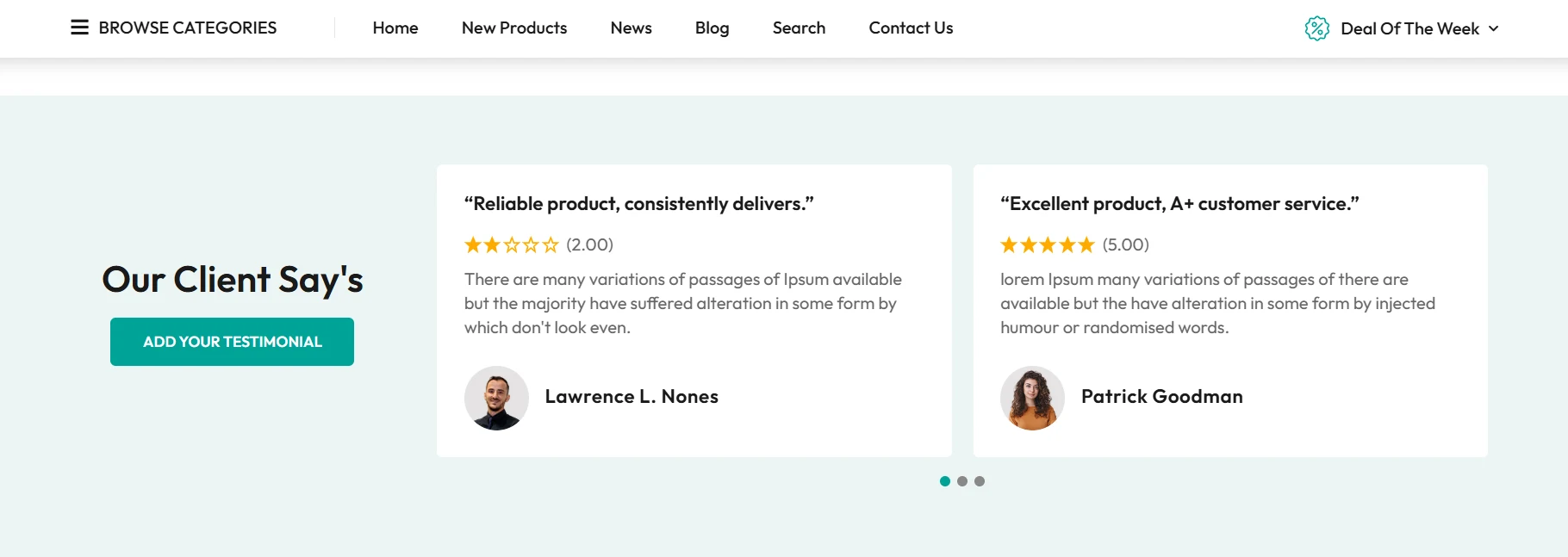
In the healthcare industry, what other customers say about your store matters more than anything you can say about yourself. The Testimonials Plugin gives you a dedicated, professionally designed space to showcase real customer experiences, feedback, and success stories building the kind of credibility that turns first-time visitors into repeat buyers.
Whether it is a customer praising the fast delivery of their prescription order or sharing how a supplement improved their health, these stories are your most powerful sales tool. Display them proudly.
Key Features
- Showcase customer reviews in a clean, elegant, and organized layout
- Enable or disable individual testimonials easily from the admin panel
- Moderate and approve testimonials before they go public
- Flexible widget zone options with customizable title and description visibility
- Fully responsive and mobile-friendly display
- SEO-friendly structure for improved search visibility
How to Add Testimonials:
- Install and enable the built-in Testimonials Plugin from the NopBooster Plugin menu
- Navigate to the Testimonials section in the left sidebar
- Click Add New to create a testimonial entry
- Enter the Author name, feedback, and rating
- Click Save and Publish — the testimonial appears live on your store
✓ Cart Plugin — Smart & Instant Cart Experience
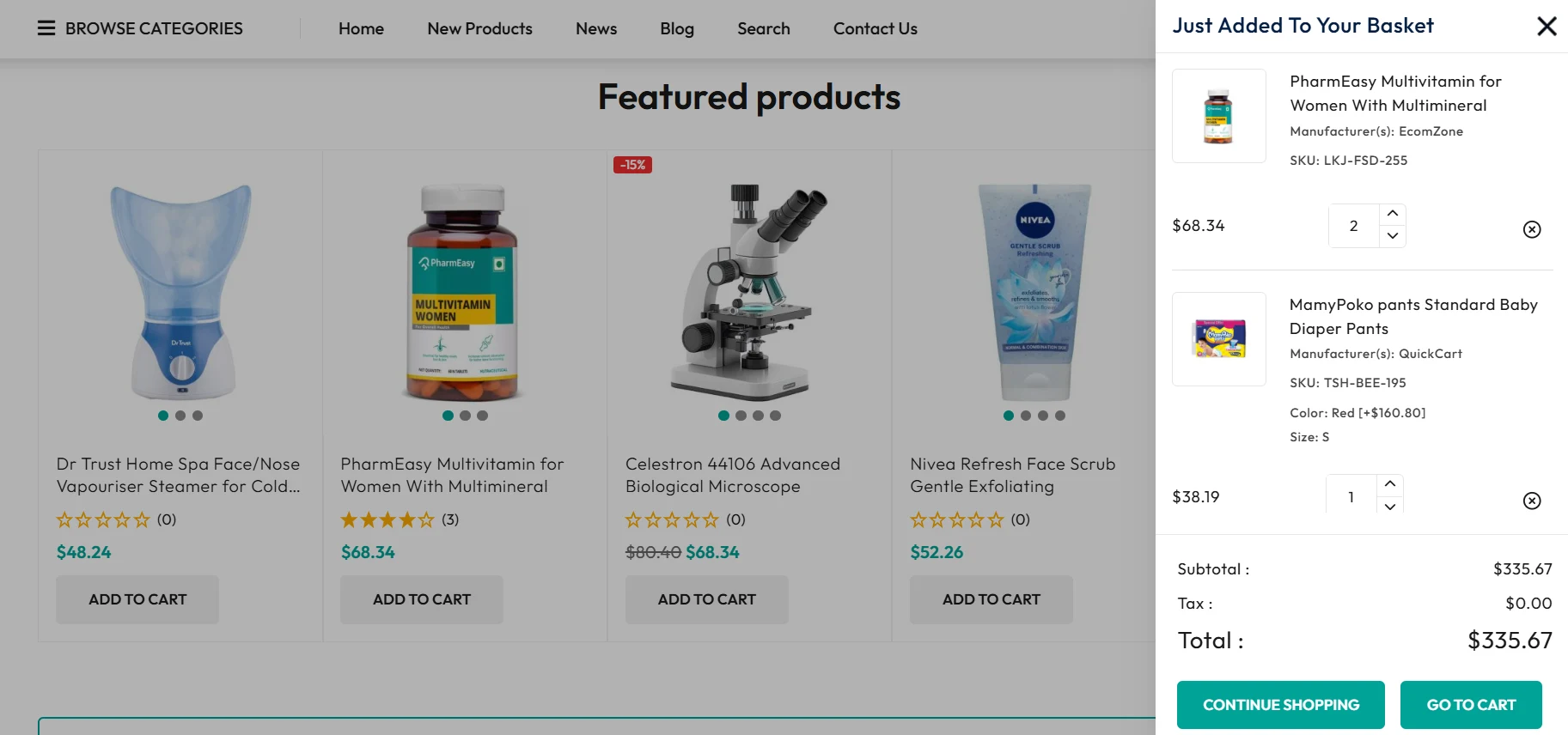
Every second of friction between a customer and checkout is a lost sale. The Cart Plugin eliminates that friction entirely. Customers can view, update, and manage their cart items instantly through a smooth popup experience — no page reloads, no unnecessary redirects, no frustration. From adding a medicine to adjusting quantities to heading straight to checkout, the entire journey feels effortless. For a healthcare store where customers may be purchasing urgently, this kind of seamless experience is not a luxury — it is a necessity.
Key Features
- Quick add-to-cart with real-time quantity updates
- Popup cart view for instant cart access from any page
- Easy item removal and quantity management in one click
- Smooth, optimized checkout flow designed for pharmacy product purchases
Setup Instructions:
- Install and enable the Shopping Cart Plugin from the NopBooster Plugin menu
- Navigate to NopBooster Plugin → Shopping Cart in the left sidebar
- Save changes — the enhanced cart experience goes live instantly
More Features Worth Knowing
✓ Shop by Category
Display your product categories Medicines, Supplements, Personal Care, Baby Health, Medical Equipment with rich visuals and an intuitive grid layout. Customers who navigate by category have higher purchase intent and convert better than those who rely on search alone.
✓ Wishlist & Compare Functionality
Allows customers to save products for later or compare multiple medicines and healthcare items, helping them make informed purchase decisions.
✓ SEO-Ready Structure
Built with clean code and SEO best practices, the theme helps your pharmacy store rank better in search engines and attract more organic traffic.
✓ Responsive on Every Device
Whether your customers are browsing on a desktop at home or searching on their phone at the pharmacy counter, NopPharma adapts perfectly to every screen size with no loss in usability or visual quality. A consistent experience across all devices builds trust and keeps customers coming back.
✓ Extensive Customization
Adjust color schemes, fonts, and layout settings directly from the theme admin panel. A dedicated Custom CSS field lets developers apply advanced design changes without touching core theme files keeping future updates clean and hassle-free.
Specifications
|
Feature
|
Detail
|
|
Compatible Platform
|
nopCommerce 4.6,4.7,4.8,4.9
|
|
Designed For
|
Pharmacy, Medical & Healthcare eCommerce
|
|
Responsive
|
Fully responsive across all devices — desktop, tablet, and mobile.
|
|
Customization
|
Color schemes, fonts, layout options, custom CSS
|
|
SEO
|
Optimized page structure for search engine rankings
|
|
Included Plugins
|
SwiftSlider, Make My Menu, Deals, Testimonials, Shopping Cart Plugin, NopPharma Core
|
Who Is NopPharma For?
- Independent pharmacies moving their business online
- Healthcare brands building a direct-to-consumer store
- Medical suppliers launching a B2B or B2C eCommerce channel
- Wellness and supplement stores wanting a professional, trustworthy look
- Existing nopCommerce stores ready to upgrade to a healthcare-specific theme
Ready to Build a Healthcare Store That Performs?
NopPharma gives you the design, the tools, and the reliability to launch with confidence and scale without limits. Stop using a generic theme and give your pharmacy store the professional presence it deserves.
Boost Your SEO With Schema Markup
NopPharma's clean code structure gives you a strong SEO foundation from the moment you launch. To go even further, implement Schema Markup (structured data) on your product pages. This enables rich results in Google displaying star ratings, prices, and availability directly in search listings which significantly improves click-through rates and brings in more qualified organic traffic to your pharmacy store.
For any assistance contact Nopbooster