PUBLIC DEMO
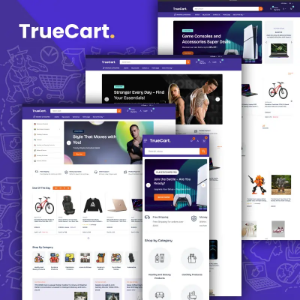
Introducing Truecart 2.0, a premium nopCommerce theme designed to deliver a refined, high-performing eCommerce experience. Fully compatible with nopCommerce versions 4.6, 4.7, 4.8, and 4.9, Truecart blends clean aesthetics with powerful built-in functionality. It is crafted for modern retailers who want more than just a visually appealing storefront they want performance, flexibility, and scalability.
With three clean and beautifully structured homepage layouts, an integrated color swatches picker, and advanced customization controls, Truecart provides a modern, minimalist foundation that adapts effortlessly to your brand identity. Whether you are launching a new store or upgrading an existing one, the theme ensures a seamless, intuitive, and conversion-focused shopping journey across all devices.
A Modern Design That Drives Conversions
Truecart follows a clean, structured design philosophy where clarity enhances usability. Balanced spacing, organized product grids, bold promotional banners, and intuitive navigation create a professional storefront that builds trust instantly. Each section is strategically positioned to guide customers from discovery to checkout without confusion or friction.
The theme is developed with an SEO-friendly code structure, optimized heading hierarchy, and fast-loading components to improve visibility in search engines while delivering a smooth user experience. The result is stronger engagement, lower bounce rates, and higher conversion potential.
✓ Plugin Details & Complete Setup Guide
Truecart is powered by a carefully integrated plugin ecosystem designed to enhance engagement, improve navigation, streamline promotions, and optimize checkout flow.
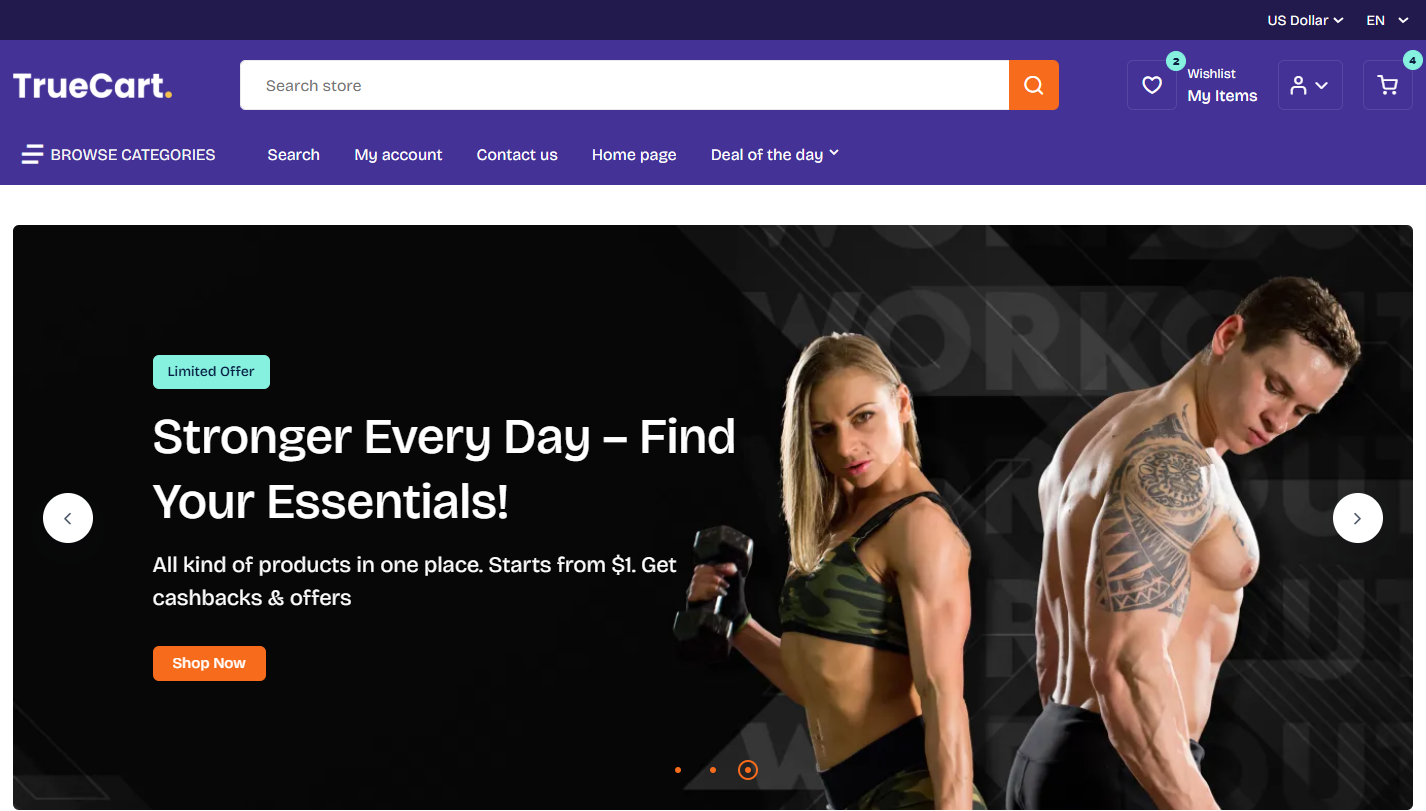
SwiftSlider transforms your homepage into a dynamic promotional platform. It allows you to display featured products, seasonal campaigns, brand announcements, or special discounts through image or video-based slides. This matters because strong visual presentation increases user retention and directs attention toward high-priority products.
It supports high-resolution image sliders, YouTube or hosted video integration, scheduling with custom start and end dates, and flexible widget placement. Fully responsive across devices, it ensures promotional content displays flawlessly on every screen.
Setup Instructions:
- Install and enable the SwiftSlider plugin from the NopBooster Plugin menu.
- Navigate to SwiftSlider in the admin sidebar.
- Click Add New Slider.
- Choose your slide type - image or video URL
- Configure schedule dates and widget zone placement.
- Click Save and Publish.
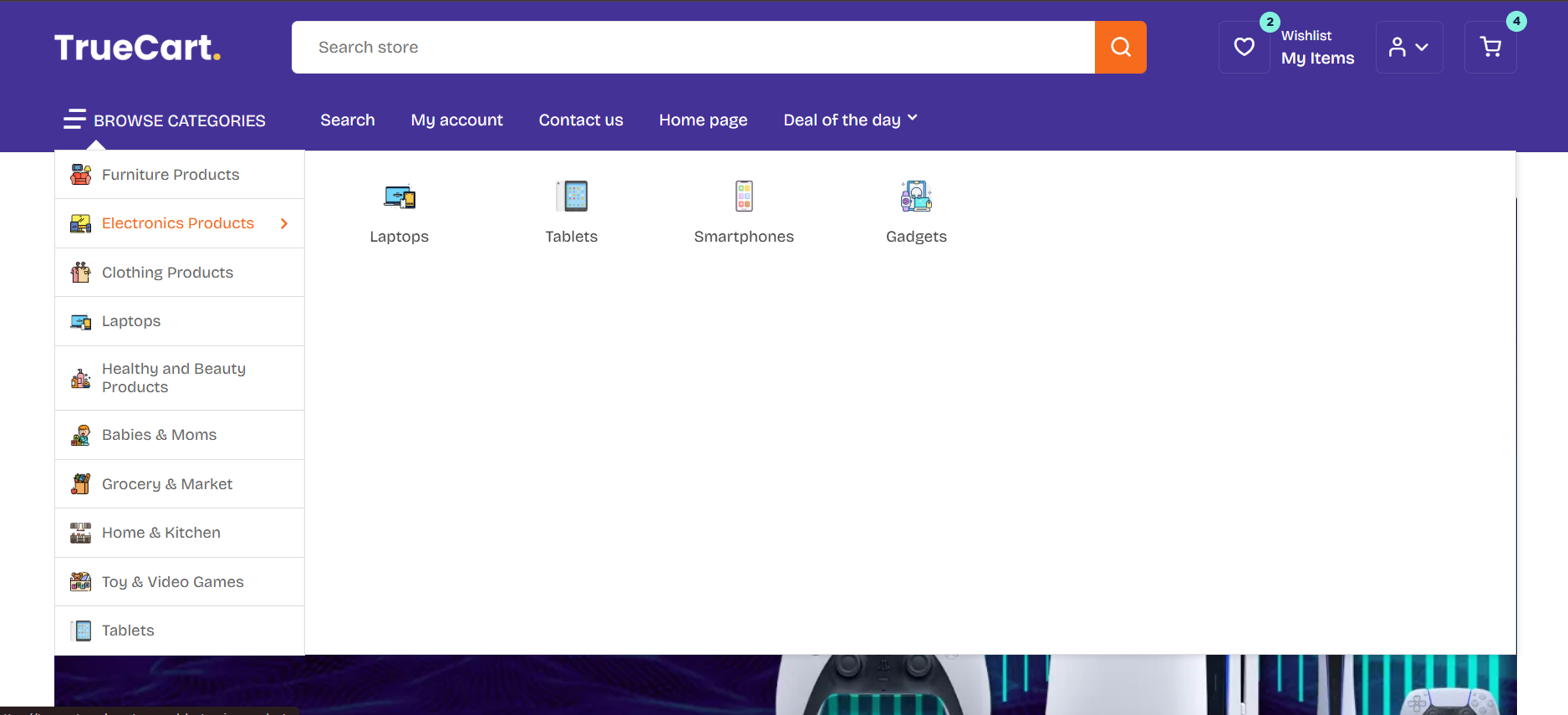
✓ Dynamic Make My Menu — Advanced Mega Navigation
Categories
Deal of the Week
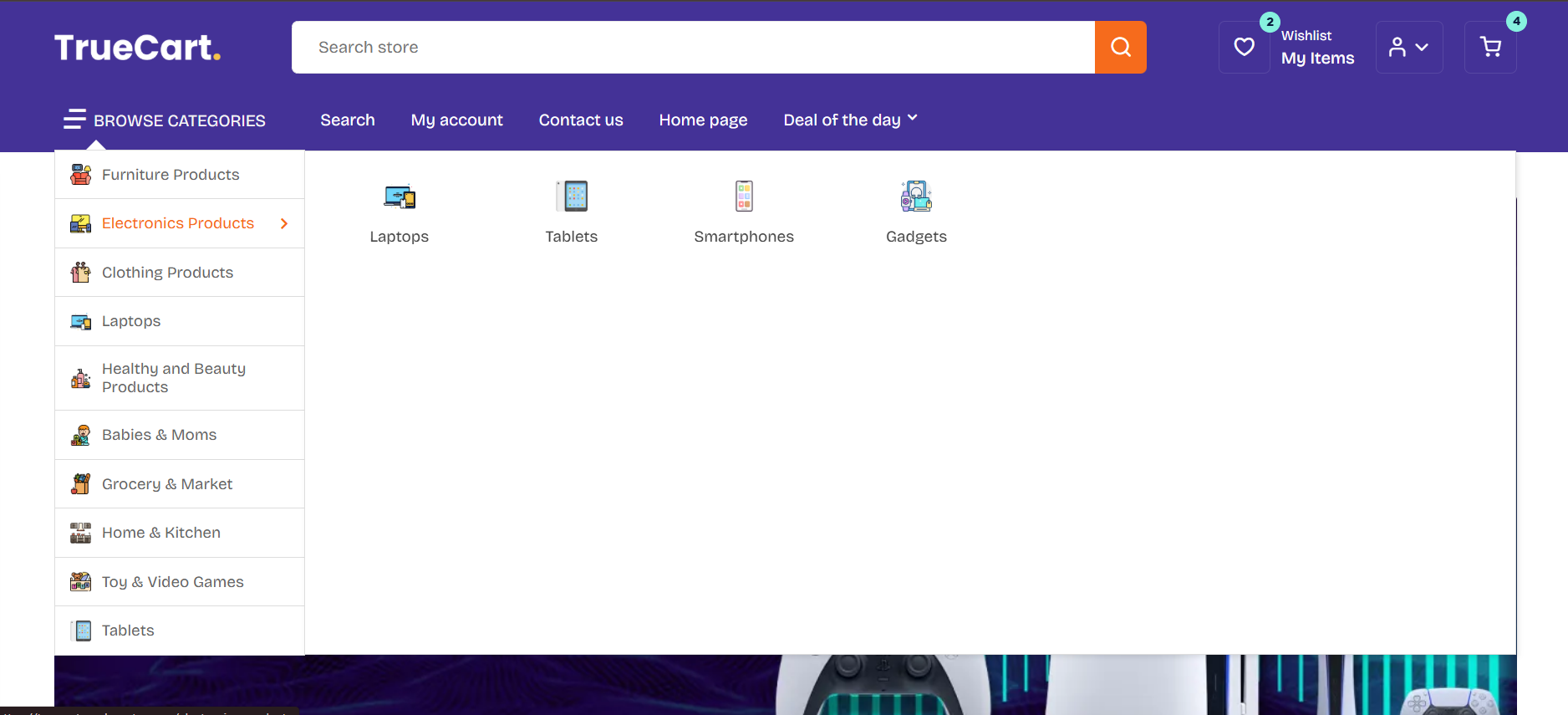
Make My Menu enhances site navigation with a structured mega menu layout. It organizes categories, manufacturers, product tags, and custom pages into clear multi-column dropdowns. This matters because efficient navigation improves product discoverability, reduces bounce rates, and supports SEO crawlability.
It allows custom hierarchy management, promotional banner integration inside menus, and flexible layout styling for a professional storefront structure.
Setup Instructions:
- Install and enable the built-in Make My Menu plugin.
- Access it from the NopBooster Plugin menu.
- Add menu items from available categories, manufacturers, or custom links.
- Arrange hierarchy and customize layout style.
- Save — changes apply instantly.
✓ Time-Sensitive Deals Plugin — Smart Promotion Engine
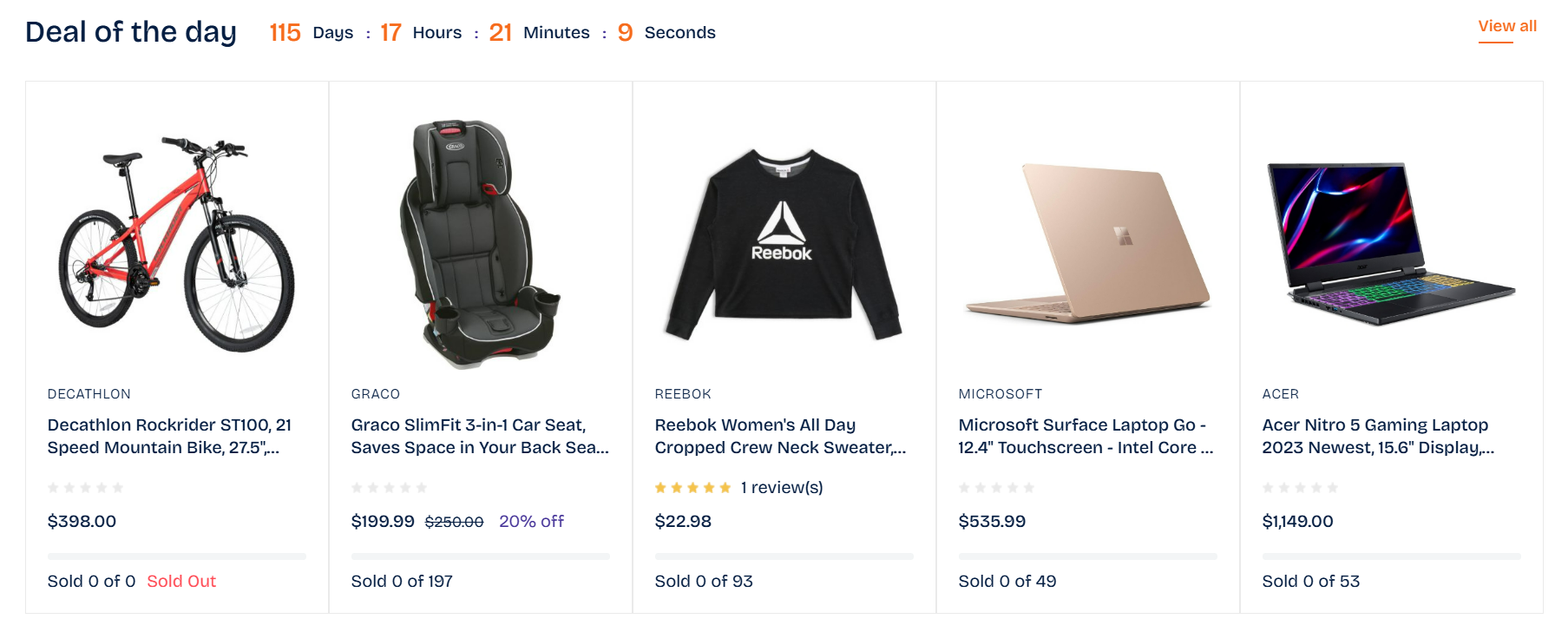
The Deals plugin allows you to run limited-time campaigns with automatic scheduling. Promotions activate and expire based on configured dates, removing manual management. This matters because urgency-based offers significantly improve conversion rates and increase average order value.
It supports assigning multiple products to a single campaign, making it ideal for flash sales, seasonal promotions, and clearance events.
Setup Instructions:
- Install and enable the Deals plugin from the NopBooster Plugin menu.
- Navigate to Deals in the left sidebar.
- Click Add New.
- Enter the deal name, start date, and end date.
- Save the deal.
- Open the deal in edit mode and assign products.
- Click Save to activate.
✓ FAQ Plugin — Structured Customer Assistance
The FAQ Plugin allows you to attach product-specific question-and-answer sections directly to product pages. This matters because customers receive immediate clarification without contacting support, reducing hesitation and speeding up purchase decisions.
It supports active/inactive controls, multiple Q&A entries per product, and widget zone integration such as “productdetails_bottom” for seamless placement.
Setup Instructions:
- Create a new FAQ entry from the admin panel.
- Provide a name for the FAQ.
- Select FAQ type as Product.
- Enable the Is Active option.
- Click Save.
- Navigate to the Detail tab and click Add New Detail to enter questions and answers.
- Assign widget zone “productdetails_bottom.”
✓ Shopping Cart Plugin — Instant Cart Experience
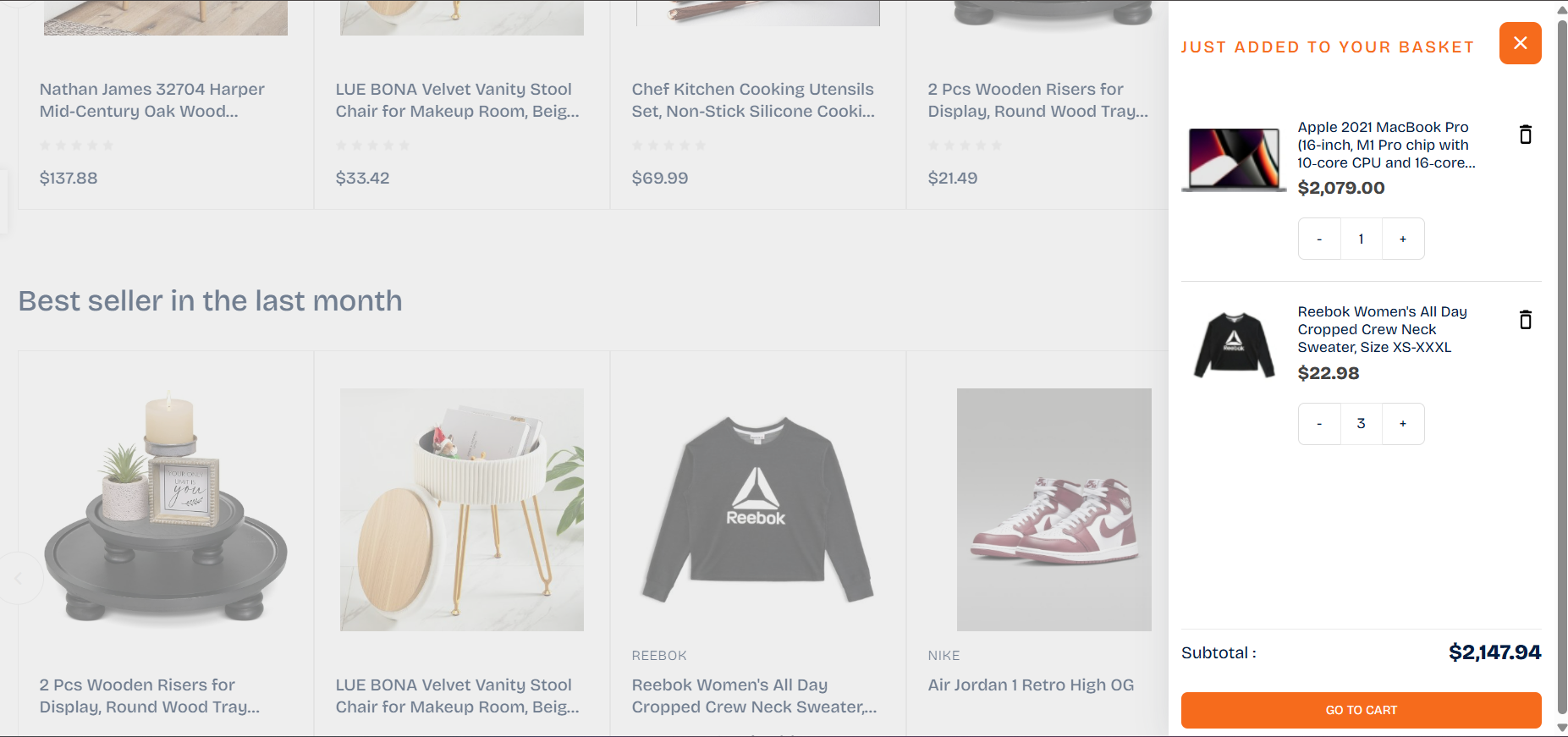
The Shopping Cart Plugin enhances checkout efficiency with a popup cart preview and real-time quantity updates. This matters because minimizing checkout friction directly increases completed purchases.
Customers can instantly view cart contents, modify quantities, remove products, and proceed to checkout without page reloads, creating a faster and more intuitive buying process.
Setup Instructions
- Install and enable the Shopping Cart Plugin.
- Navigate to Shopping Cart under the NopBooster Plugin menu.
- Configure cart behavior and display settings.
- Save changes — the enhanced cart activates immediately.
✓ Truecart Core Plugin — Centralized Theme Control:
The Truecart Core Plugin acts as the operational backbone of the theme. It manages theme configurations, synchronizes plugin functionality, and ensures consistent performance across the storefront. This matters because centralized management simplifies customization and maintains optimal loading speed.
It provides control over layout settings, color swatches, display preferences, and custom CSS integration.
Setup Instructions:
Step 1: Install & Enable
- Install and enable Truecart Core from the NopBooster Plugin menu.
- Navigate to Truecart Theme Settings.
Step 2: Configure Color Settings
- Access Theme Color Settings.
- Use the built-in color swatches picker to customize primary colors.
- Save changes.
Step 3: Apply Custom CSS (Optional)
- Use the Custom CSS field to override default styles.
- Save — changes apply instantly without modifying core files.
Core Features & Capabilities
✓ Three Clean Homepage Layouts
Choose from three professionally designed homepage variations that allow you to present banners, categories, featured products, and promotions in different structures. This flexibility helps align your storefront layout with your brand strategy.
✓ Built-In Color Swatches Picker
Truecart includes an easy-to-use color picker that allows you to modify primary theme colors without technical complexity. Instantly match your store’s design with your brand palette.
✓ Custom CSS Support
A dedicated Custom CSS field allows developers and store owners to apply advanced styling changes without modifying core theme files. This ensures safe updates and long-term maintainability.
✓ Open Search Design with Universal Results
The modern search interface enhances product discovery by displaying structured universal search results. Customers can find products faster, improving usability and reducing drop-offs.
✓ Shop by Category Sections
Display visually rich category blocks that simplify browsing and encourage structured exploration.
✓ Best Sellers Display
Highlight trending products from recent months to build social proof and guide purchasing decisions.
✓ Popup Cart View
Provide instant cart preview functionality with real-time quantity updates — no unnecessary page reloads, no friction.
✓ Fully Responsive & Mobile-Friendly
Truecart adapts seamlessly across desktops, tablets, and smartphones, ensuring consistent performance and visual clarity on every device.
Specifications
|
Feature
|
Detail
|
|
Compatible Platform
|
nopCommerce 4.6, 4.7, 4.8, 4.9
|
|
Designed For
|
Multi-category retail, fashion, electronics, lifestyle & general eCommerce
|
|
Homepage Layouts
|
Three clean and professional layouts
|
|
Responsive
|
Fully responsive across desktop, tablet, and mobile
|
|
Customization
|
Color swatches picker, theme settings, Custom CSS support
|
|
SEO
|
Clean, structured, search-engine-friendly codebase
|
|
Included Plugins
|
SwiftSlider, Make My Menu, Deals, FAQ Plugin, Shopping Cart Plugin, Truecart Core
|
Who Is Truecart For?
- Retailers launching a new online store
- Businesses upgrading to a modern nopCommerce design
- Multi-category stores seeking structured navigation
- Brands requiring flexible customization options
- Store owners focused on conversion-driven layouts
Ready to Elevate Your eCommerce Store?
Truecart combines elegant design with powerful functionality to help you launch confidently and scale efficiently. With advanced navigation, smart promotional tools, seamless customization options, and performance optimization, it delivers a complete solution for building a high-performing online store.
Boost Your SEO With Schema Markup
Truecart provides a strong SEO foundation through optimized code structure and clean page hierarchy. To enhance visibility further, implement Schema Markup (structured data) on product pages. This enables rich search results such as star ratings, prices, and availability to appear directly in search listings — increasing click-through rates and attracting more qualified organic traffic.
For any assistance contact Nopbooster