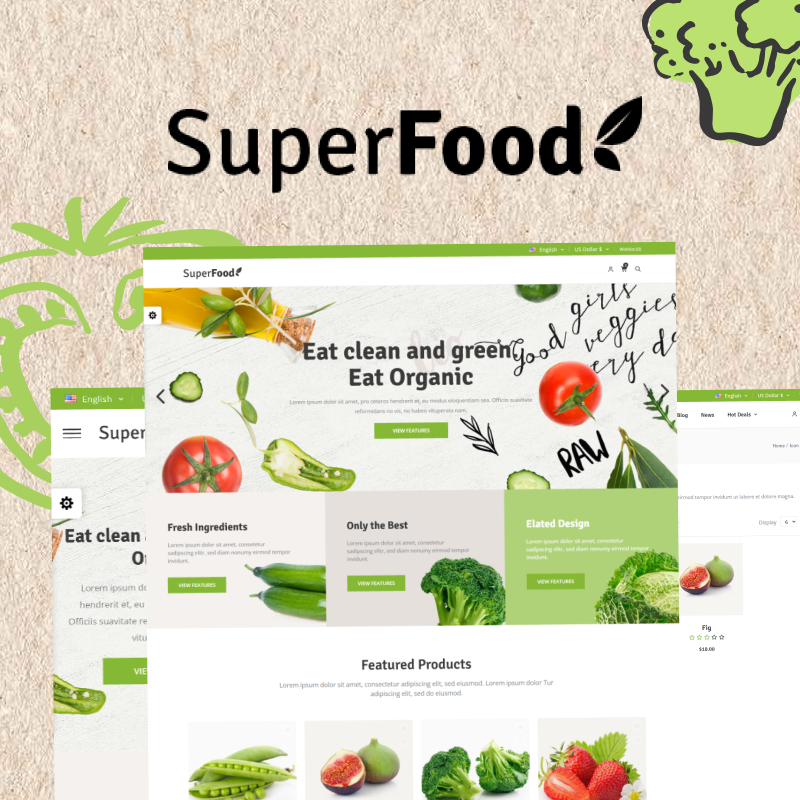
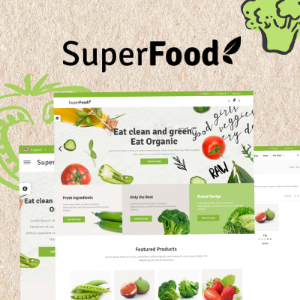
Introducing SuperFood, a premium nopCommerce theme designed specifically for organic food, grocery, health, and nutrition eCommerce stores. Fully compatible with nopCommerce 4.6, 4.7, 4.8, and 4.9, SuperFood combines a fresh, modern design with powerful features to deliver a smooth and engaging shopping experience.
Its responsive layout ensures your store looks perfect across desktop, tablet, and mobile devices, while clean navigation and well-structured product pages make it easy for customers to browse fresh produce, organic products, supplements, and daily essentials effortlessly.
Built with performance and usability in mind, SuperFood offers elegant homepage layouts, customizable color schemes, and conversion-focused design elements that help you build a strong and trustworthy brand presence. The theme is optimized for speed, SEO-friendly structure, and seamless user interaction to increase engagement and drive more sales.
✅ Included Plugins
-
SwiftSlider – Create stunning and responsive homepage sliders
-
Make My Menu – Advanced mega menu for better navigation
-
Deals – Highlight time-based offers and promotions
-
Testimonials Plugin – Showcase customer feedback and reviews
Whether you are launching a new organic store or upgrading your existing nopCommerce website, SuperFood provides the flexibility, clean design, and essential tools needed to build a high-performing food and grocery eCommerce platform.
A Design That Builds Fresh & Natural Appeal
In food and grocery eCommerce, visual appeal and trust are everything. SuperFood is designed with a clean, fresh, and natural aesthetic that instantly creates a sense of quality and reliability. Every element is crafted with purpose — spacious layouts, vibrant product displays, and a balanced color palette that highlights freshness and encourages customers to explore and purchase with confidence.
Plugin Details & Setup Guide
✓ Enhanced SwiftSlider
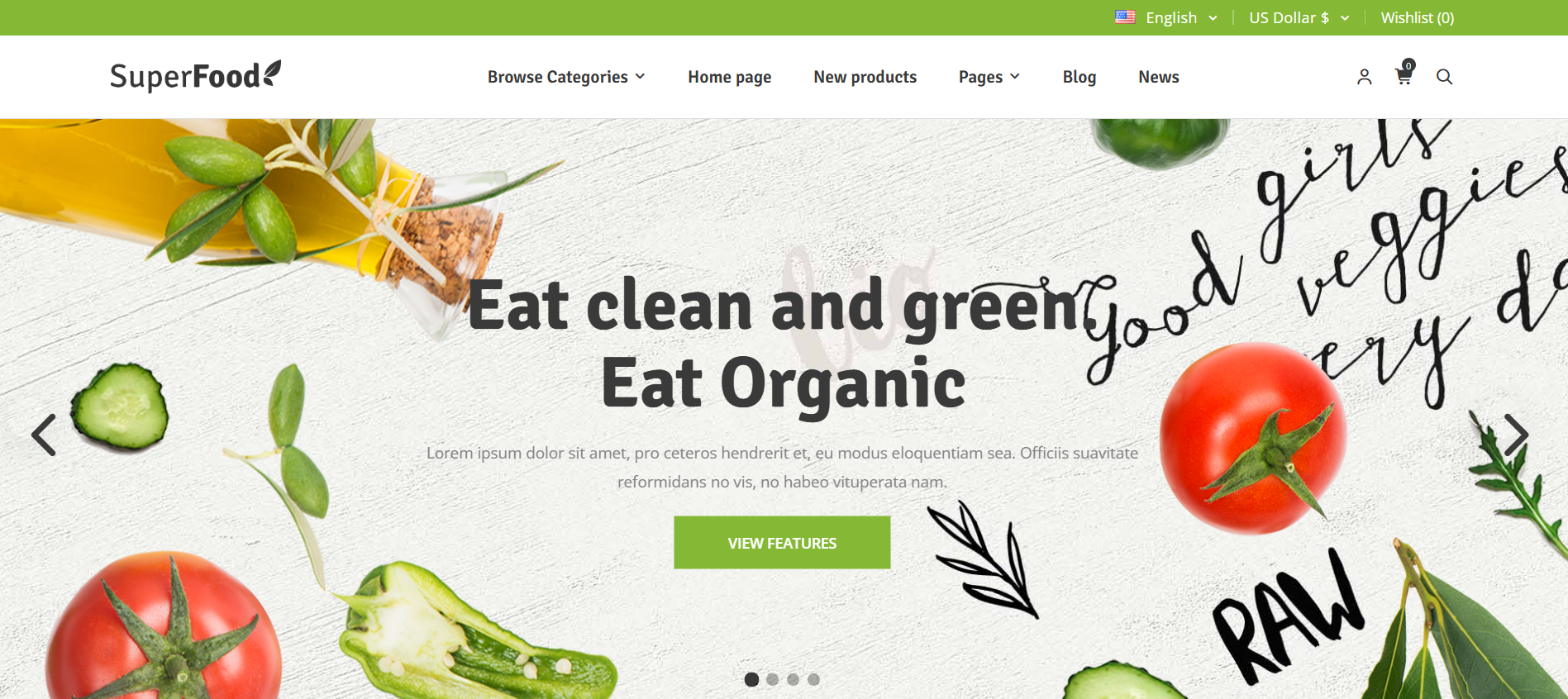
Your homepage is your storefront and SwiftSlider makes sure it stands out. This fully responsive slider allows you to showcase products, seasonal offers, and promotional campaigns with engaging visuals that instantly capture attention. Whether using high-quality images or video backgrounds, SwiftSlider helps create dynamic engagement from the moment visitors land on your site.
Key Features
- Supports both image-based and YouTube/video-based sliders
- Schedule slider visibility with custom start and end dates
- Flexible widget zone placement for displaying sliders across the website
- Fully responsive and optimized for all screen sizes including mobile
Setup Instructions:
- Install and enable the SwiftSlider plugin from the NopBooster Plugin menu
- Navigate to the SwiftSlider section in the left sidebar
- Click Add New Slider
- Choose your slide type - image or video URL
- Set your preferred schedule dates and click Save and Publish
✓ Dynamic Make My Menu
Categories
Hot Deals
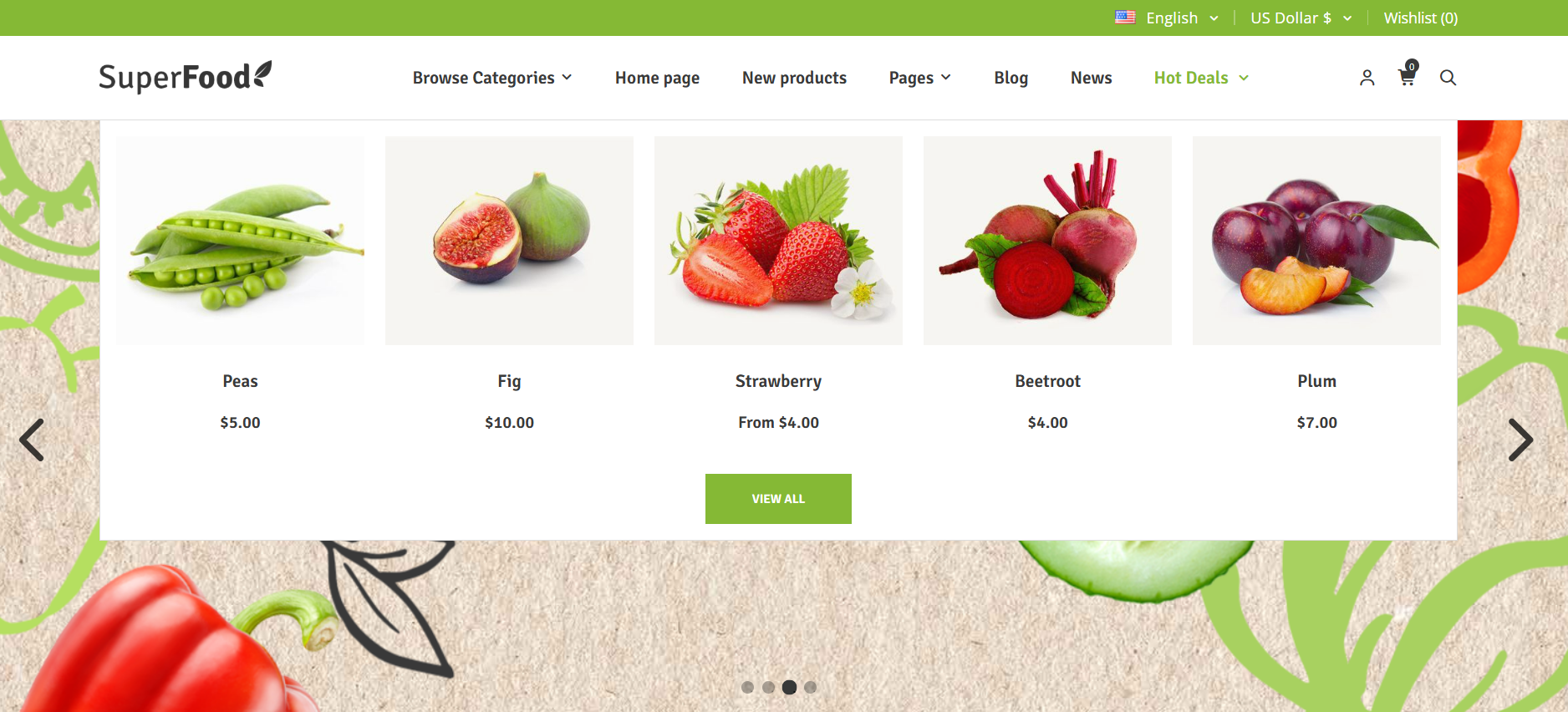
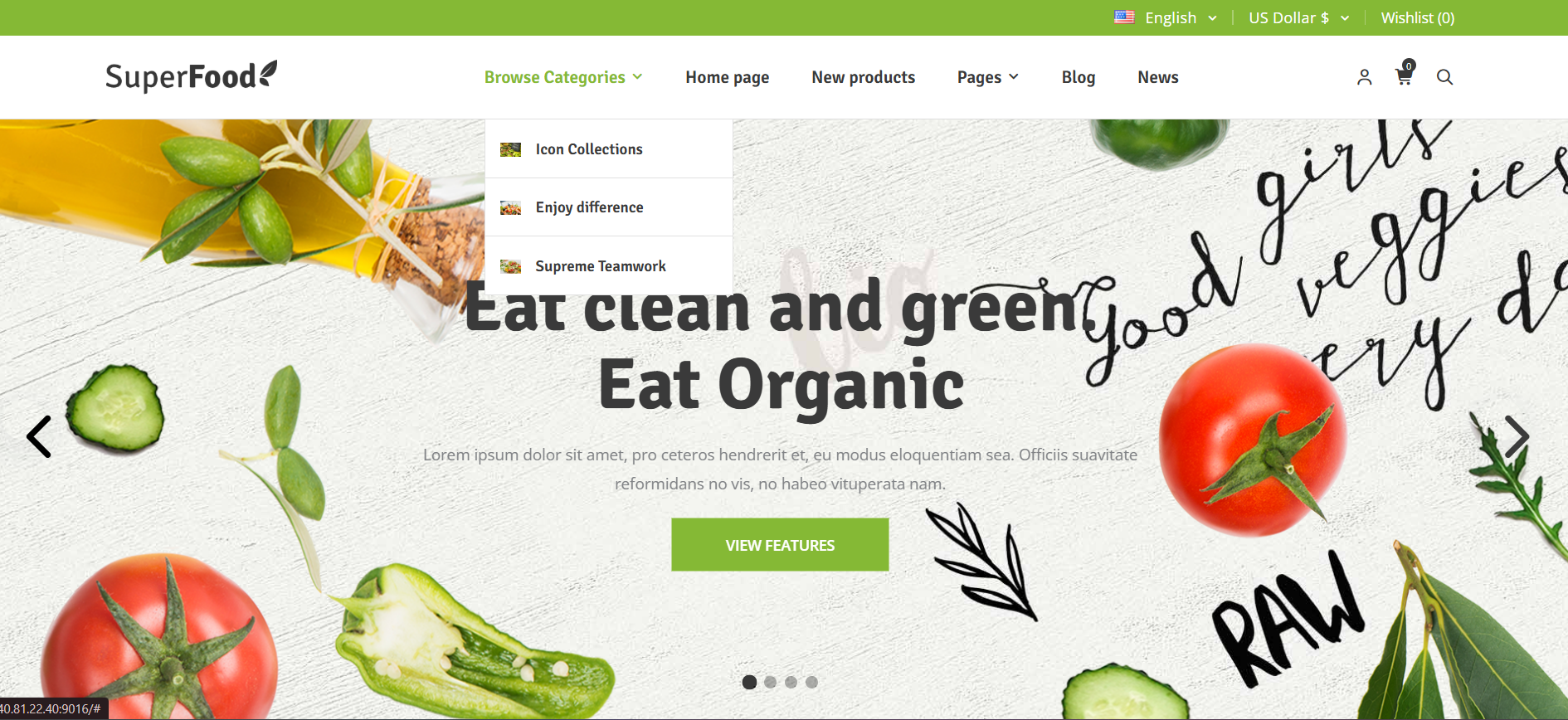
A growing store needs powerful navigation and Make My Menu delivers exactly that. Organize your categories like Fruits, Vegetables, Organic Products, Beverages, and Health Items into a structured mega menu that improves usability and conversions. Customers can find what they need quickly, reducing friction and improving overall usability.
Key Features
- Display deals directly within the menu structure
- Showcase categories in multiple layouts with images, plain text, or custom formats
- Choose from different item types including manufacturers, product tags, and categories
- Fully customizable menu hierarchy and styling
Setup Instructions:
- Install and enable the built-in MakeMyMenu plugin from the NopBooster Plugin menu
- Add menu items from your available category and page options
- Customize the layout, structure, and labels to match your store's hierarchy
- Save — changes reflect instantly on the storefront.
✓ Time-Sensitive Deals Plugin
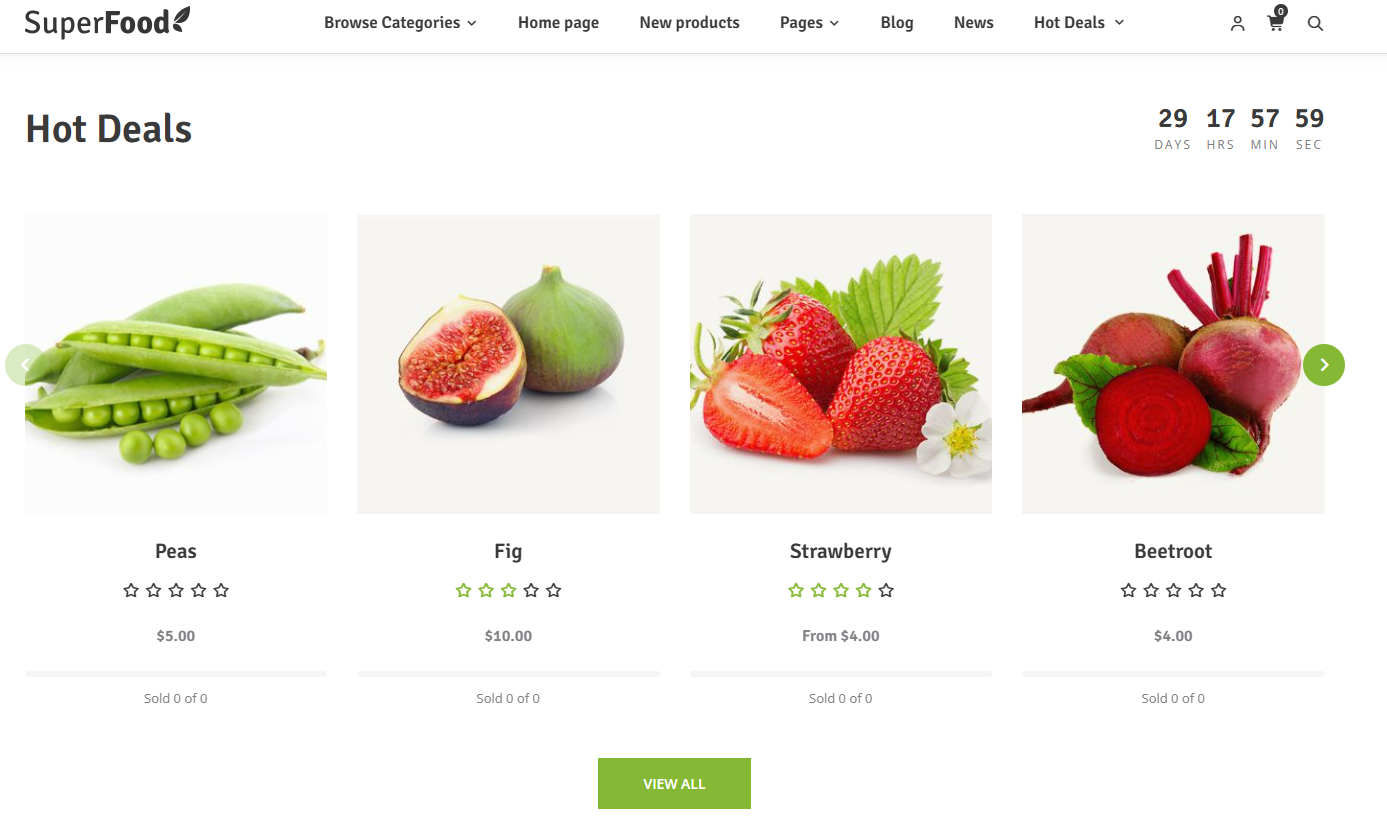
Nothing boosts sales like urgency. The Deals plugin allows you to run limited-time offers on products like fresh produce bundles, discount packs, or seasonal items. Deals automatically activate and expire based on the configured timeline, ensuring smooth campaign management.
Setup Instructions:
- Install and enable the built-in Deals plugin from the NopBooster Plugin menu
- Navigate to NopBooster Plugin → Deals
- Click Add New
- Enter the deal name, start date, and end date
- Assign the relevant products to the deal and click Save
✓ Testimonials Plugin
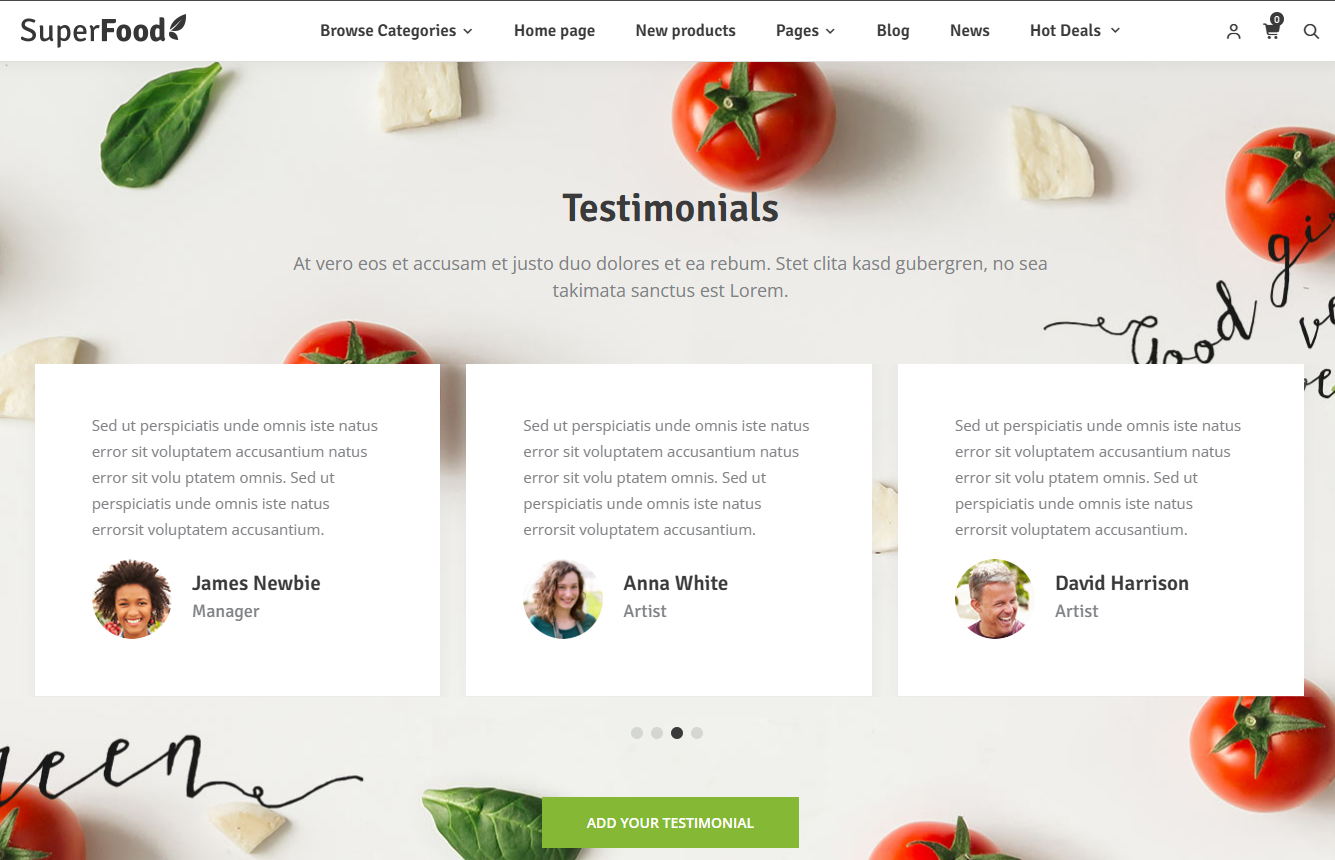
Customer trust drives sales especially in food and health products. The Testimonials Plugin helps you showcase real customer feedback in a clean and professional format.
Key Features
- Display customer reviews beautifully
- Enable/disable testimonials easily
- Moderate before publishing
- Fully responsive and SEO-friendly
Setup Instructions:
- Enable Testimonials plugin
- Go to Testimonials section
- Click Add New
- Enter name, feedback, and rating
- Save and publish
✓ NopSuperFood Core Plugin
The NopSuperFood Core Plugin is the backbone of the entire theme. It centrally manages all theme components, controls essential design and display configurations, and ensures every part of your store works together seamlessly. From managing theme colors to handling homepage sections and injecting dynamic content, the plugin keeps your store fast, consistent, and easy to customize.
Setup Instructions:
Step 1: Install and Enable the Plugin
- Install and enable the built-in NopSuperFood Core plugin from the NopBooster Plugin menu
- Navigate to NopBooster Plugin → SuperFood Theme Settings
Step 2: Configure Theme Color Settings
- Go to Configuration → Theme Color Settings
- Set primary, secondary, and accent colors
- Customize text and background colors
- Add custom CSS if needed
- Click Save
Step 3: Configure Theme Display Settings
- Go to Configuration → Theme Display Settings
- Control homepage section visibility
- Adjust layout behavior
- Click Save
More Features Worth Knowing
✓ Shop by Category Sections
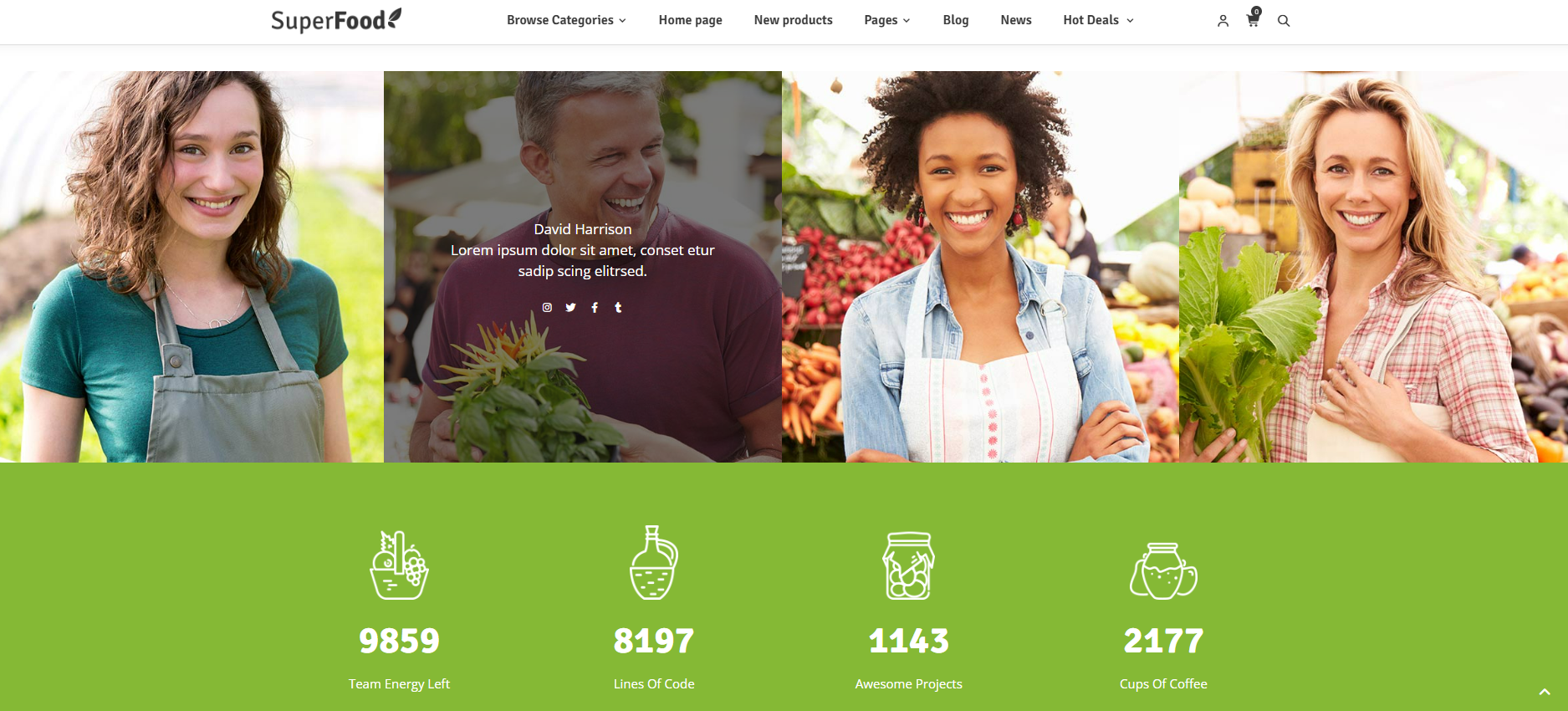
Display your product categories in visually rich, well-structured layouts that make browsing effortless for your customers. Instead of relying only on search, users can quickly navigate through clearly organized categories with images and intuitive design. This approach not only improves navigation but also encourages product discovery, helping customers explore more items and increasing the chances of conversion. A smoother browsing experience leads to longer session times and better engagement across your store.
✓ Wishlist & Compare Functionality
Modern customers like to explore before they decide. With Wishlist and Compare functionality, users can save their favorite products and evaluate multiple options side-by-side before making a purchase. This feature enhances decision-making by allowing customers to revisit products later, compare pricing or features, and shop at their own pace. It builds confidence in buying decisions and helps turn interested visitors into returning customers.
✓ SEO-Ready Structure
SuperFood is built with a clean, optimized code structure that follows modern SEO best practices. From proper HTML hierarchy to fast-loading pages and mobile-friendly layouts, every element is designed to improve your visibility in search engines. This helps your store rank higher, attract more organic traffic, and reach potential customers without relying heavily on paid advertising — giving your business long-term growth potential.
✓ Responsive on Every Device
Today’s customers shop from multiple devices, and SuperFood ensures a flawless experience across all of them. Whether your users are browsing on desktop, tablet, or mobile, the layout automatically adapts to provide smooth navigation and clear product visibility. This consistency builds trust and ensures that no matter where your customers are, they get the same high-quality shopping experience without compromise.
✓ Extensive Customization
SuperFood is designed to give you full control over your store’s appearance without requiring technical expertise. You can easily customize colors, layouts, typography, and section visibility directly from the admin panel. For advanced users, the theme also supports custom CSS, allowing deeper design modifications while keeping the core files untouched. This flexibility ensures your store can evolve with your brand while remaining easy to manage and update.
Specifications
|
Feature
|
Detail
|
|
Compatible Platform
|
nopCommerce 4.6,4.7,4.8,4.9
|
|
Designed For
|
Organic Food, Grocery, Health & Nutrition Stores
|
|
Responsive
|
Fully responsive across Desktop, Tablet, and Mobile devices
|
|
Customization
|
Color schemes, layout options, custom CSS
|
|
SEO
|
Clean, structured, and search-engine-optimized codebase
|
|
Included Plugins
|
SwiftSlider, Make My Menu, Deals, Testimonials, NopSuperFood Core
|
Who Is SuperFood For?
- Organic and grocery store owners going online
- Health and nutrition brands
- Fresh produce and farm product sellers
- Wellness and supplement stores
- Existing nopCommerce stores looking for a modern upgrade
Ready to Build a Store That Sells Fresh?
SuperFood gives you the design, performance, and tools needed to launch quickly and scale confidently. Replace generic layouts with a theme built specifically for food and grocery businesses.
Boost Your SEO With Schema Markup
SuperFood is built on a clean, structured codebase that provides a strong SEO foundation from day one. To maximize visibility, you can implement Schema Markup (structured data) on product pages. This enables rich results in Google search listings, such as star ratings, pricing, stock availability, and product details displayed directly in search results. These enhanced listings improve click-through rates, attract high-intent shoppers, and drive more qualified organic traffic to your organic food, grocery, health, and nutrition eCommerce stores.
For any assistance please contact us @ sales@nopbooster.com